Your data is yours. Let's go get it.
Every major platform is required to hand over a copy of the data it keeps about you. Most people never ask. This is the heart of the MyChoice alpha. Your data stays yours — we do not share or sell your personal data with anybody. This is about empowering you.
Request a full export in JSON format, and where there's a media-quality option, choose the lowest — your photos and videos aren't needed for insight, and the data can get large.
Minutes for some, up to a few days for others. While this is changing as more people demand their own data, expect your first request to take upwards of 24–48 hours to arrive.
MyChoice reads the zip exactly as the platform delivers it. Just save the file(s) somewhere you can find them.
YouTube & Google — via Google Takeout
Time to arrive: usually under an hour; large accounts can take longer.
- Go to takeout.google.com (sign in as the person whose data this is).
- Leave everything selected, but uncheck Google Photos and Drive — that's where the gigabytes live, and MyChoice doesn't use them.
- Scroll down → Next step. Delivery: "Send download link via email" is fine. File type .zip, size 4 GB (larger splits are OK too).
- Important: where a format choice exists (YouTube history has one), choose JSON, not HTML.
- When the email arrives, download the zip(s). Done.
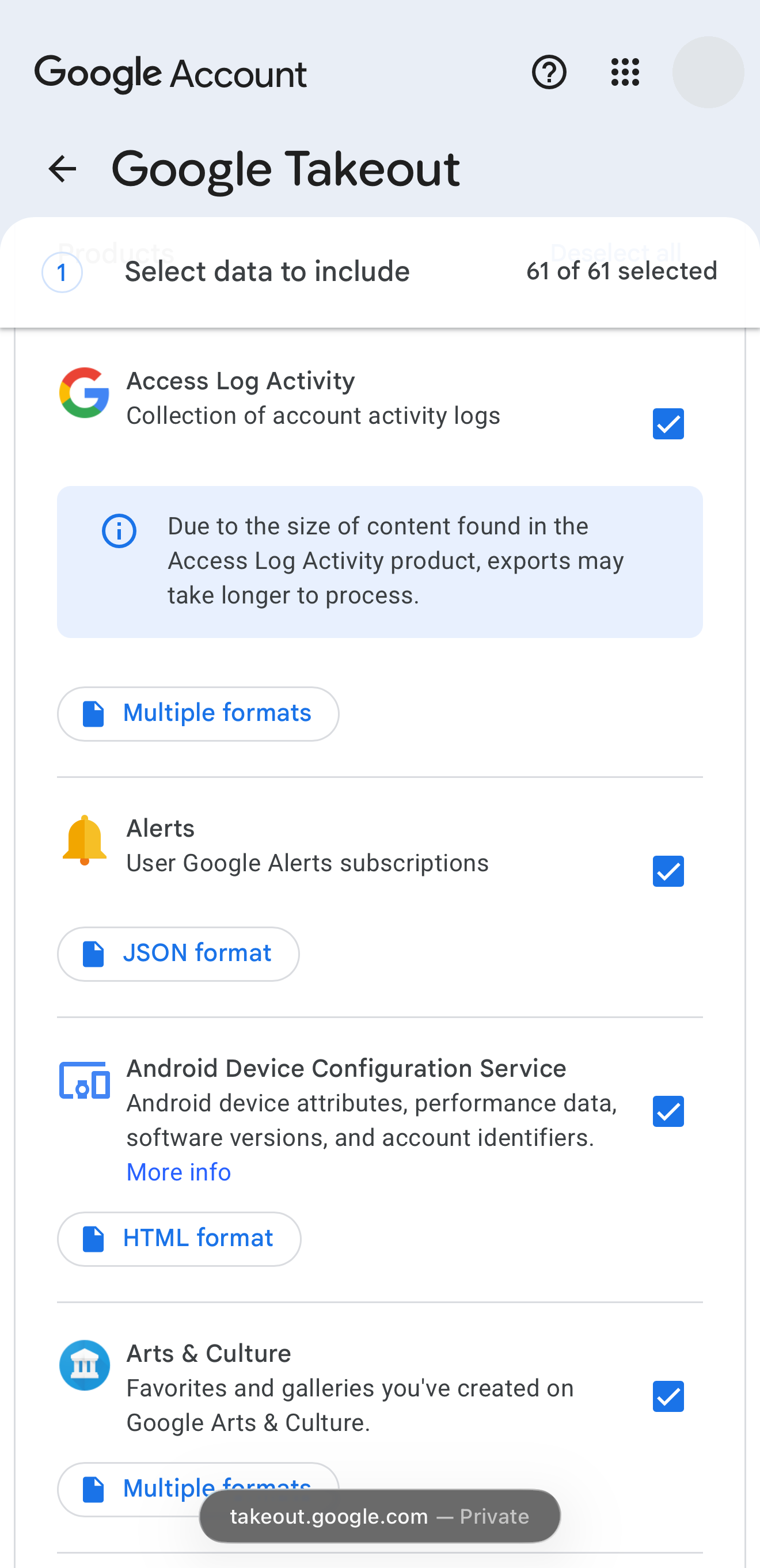
Step 2 — the "Select data to include" screen
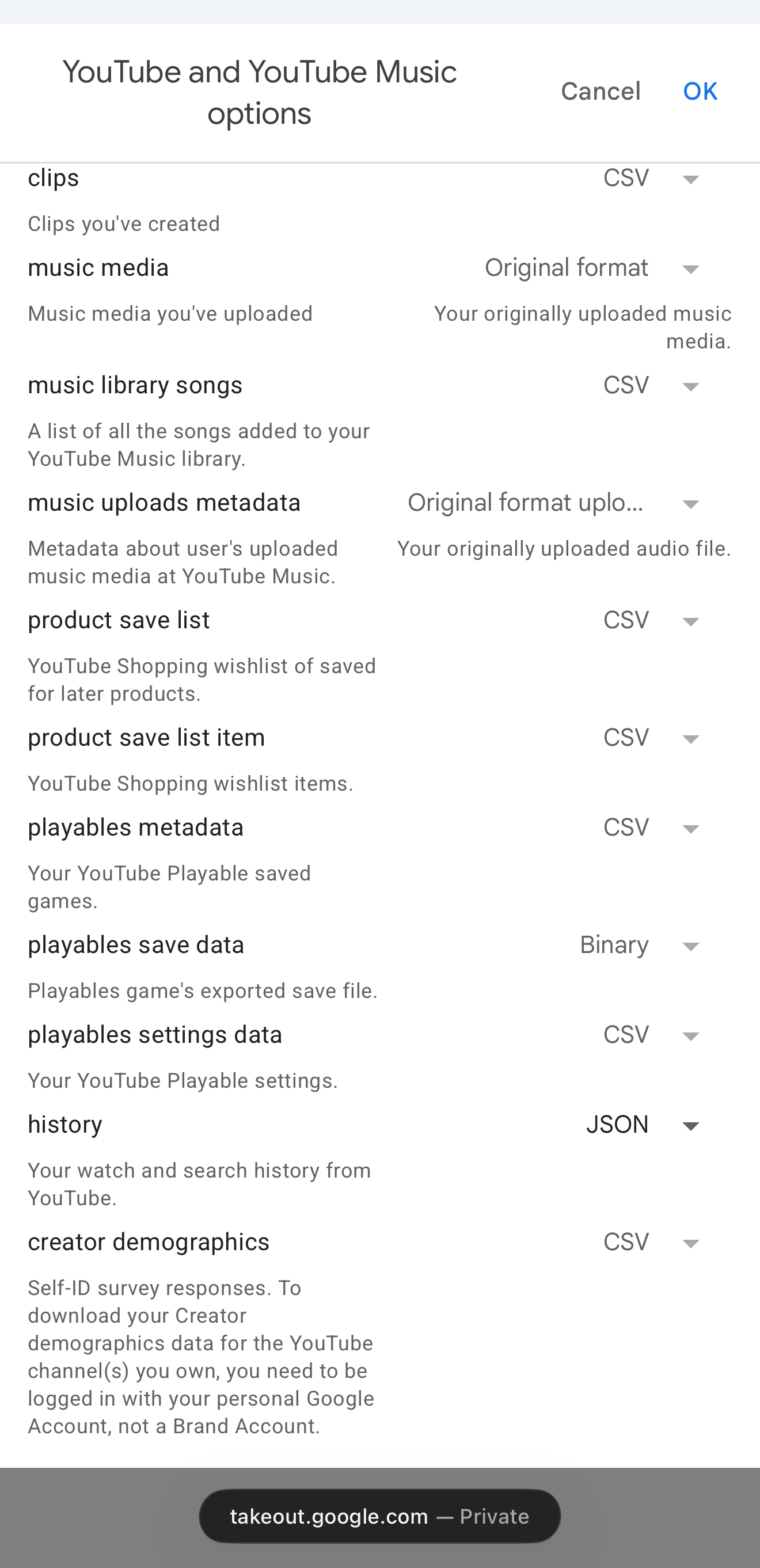
Step 4 — YouTube options: history → JSON
Instagram & Facebook — via Meta Accounts Center
Time to arrive: a few hours to ~2 days.
- On Instagram or Facebook: Settings → Accounts Center → Your information and permissions → Download your information.
- Choose Download or transfer information → select the account(s) → All available information.
- Set: format JSON · media quality Low (Medium is fine too) · date range All time.
- Destination: "Download to device" is simplest. (Power move we use ourselves: Meta can also deliver straight to your Google Drive, and can even re-export on a schedule — not needed for the alpha.)
- You'll get an email/notification when it's ready — download the zip(s).
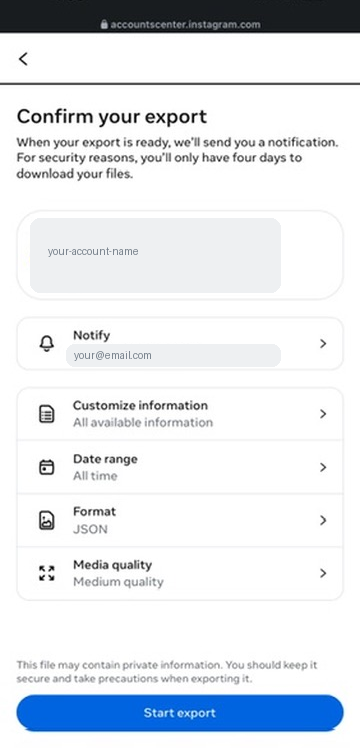
The confirm screen should look like this before you tap Start export
TikTok
Time to arrive: usually within a day.
- In the TikTok app: Profile → Menu (☰) → Settings and privacy → Account → Download your data.
- Choose All data and file format JSON — not TXT.
- Come back to the same screen when notified and download the zip. TikTok download links expire after a few days, so don't sit on it.
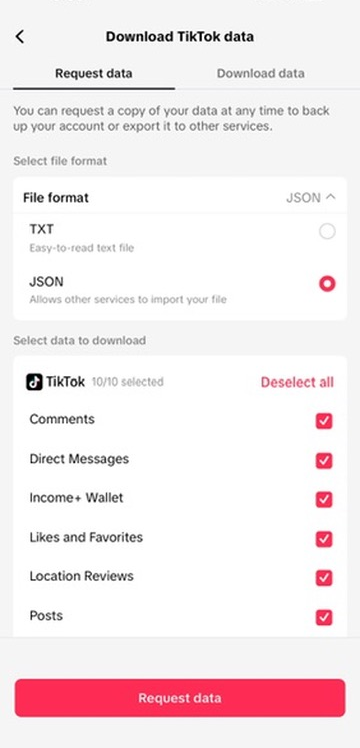
JSON selected, everything checked — then Request data
When your files arrive
Keep the zips exactly as downloaded and bring them to MyChoice. That's it — no unzipping, no renaming, no picking files out. MyChoice finds what it understands, shows you what it read, and ignores the rest.
Where to keep them: anywhere you'll find them again — Downloads is fine. If you want a tidy habit, one folder per family member ("Dad's data", "Mom's data") saves confusion later, since every platform names its files cryptically.
If something looks wrong
- Got HTML files instead of JSON? The format toggle defaulted wrong — re-request with JSON selected.
- Zip seems suspiciously small? See the TikTok note above; the same applies anywhere. Small zip = incomplete export = request again.
- Export expired before you downloaded it? No harm — just request a fresh one.
- Stuck? Reply to your welcome email or post in the family group — a human (Bill) answers.